

FOR CONTRACTORS AND SMALL CREWS WHO DO THEIR OWN PAPERWORK
You Work Two Jobs. Only One Of Them Pays You.
The one on site pays. The one at the kitchen table at 10 p.m. (estimates, change orders, invoices, the schedule) eats your evenings, and your profit. The Contractor's Office Toolkit does that second job with you: 20 ready-to-fill templates in Excel and Google Sheets. Price every job right, get paid for every extra, and know what each job really made.
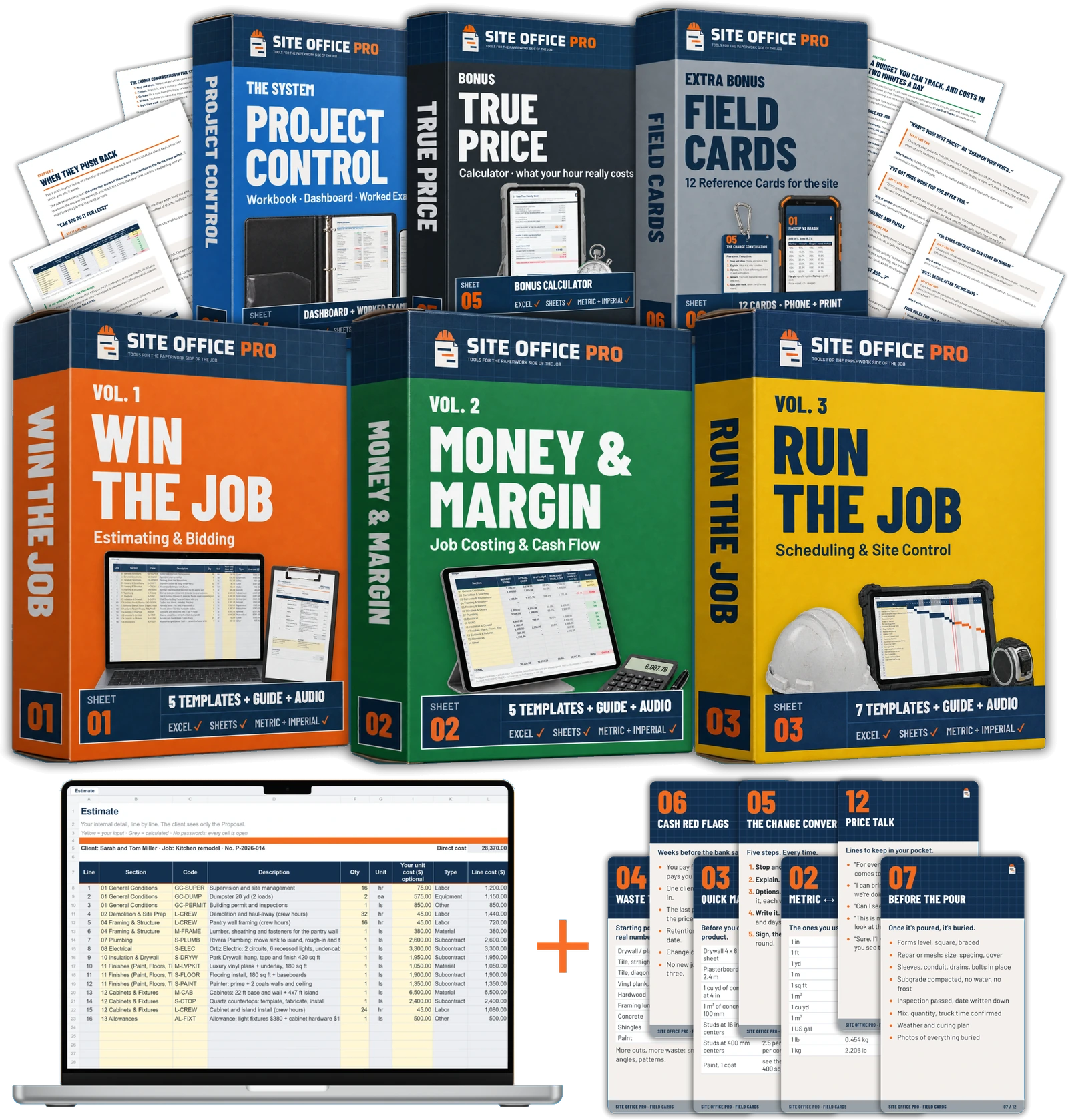
What you get today
The Contractor's Office Toolkit
20 templates · 4 guides · 20 audio lessons
Everything you need to run organized, profitable jobs, in one download. Fill the yellow cells. The sheet does the math.
- Vol. 1 Win the Job: estimate workbook with your own price list, sub bid comparison, client proposal, bid/no-bid and site visit checklists
- Vol. 2 Money & Margin: job cost tracker, change order form and log, progress billing, 12-month cash-flow forecast
- Vol. 3 Run the Job: a schedule that works out its own dates, look-ahead, daily log, meeting minutes, RFI log, punch list, weekly client report
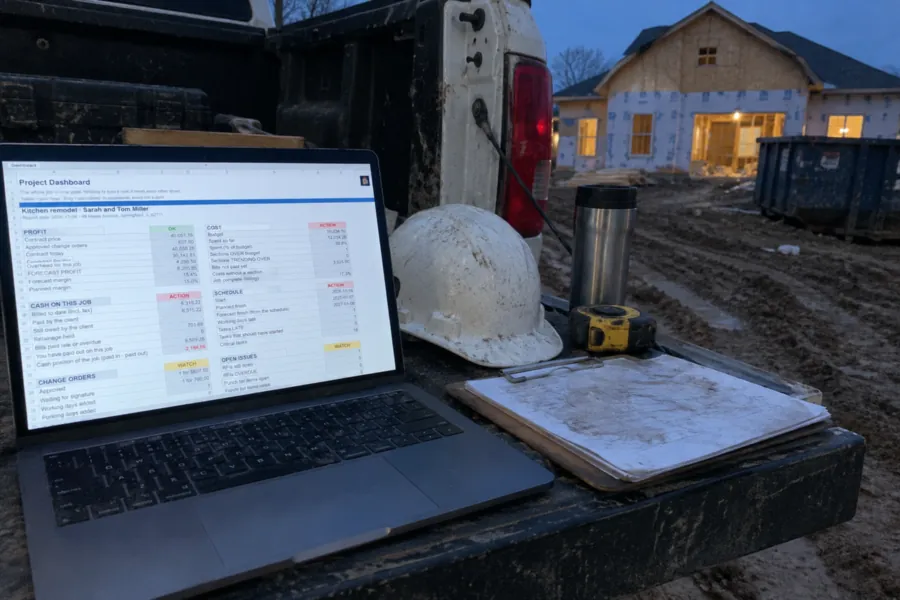
- The Project Control Workbook: one dashboard for profit, cost, cash, schedule and changes
- A full worked example: a $40k kitchen remodel, from the first estimate to handover, every number worked out
- 4 short guides plus Price Talk: what to say when the client pushes on price
- 20 audio lessons (1 h 47 min) for the drive between jobs
- Every cell open, no passwords: change anything, add your logo
- Your words and units: quote or estimate, change order or variation, $ or £, feet or metres
- One payment, yours forever: free updates when a template improves
🎁 Bonus: the True Price Calculator. What one hour of your business really costs, before you price the next job
Questions? Email support@siteofficepro.com, a person answers within one working day · Secure checkout · Instant download · 90-day "Send Your Next Bid With It" guarantee
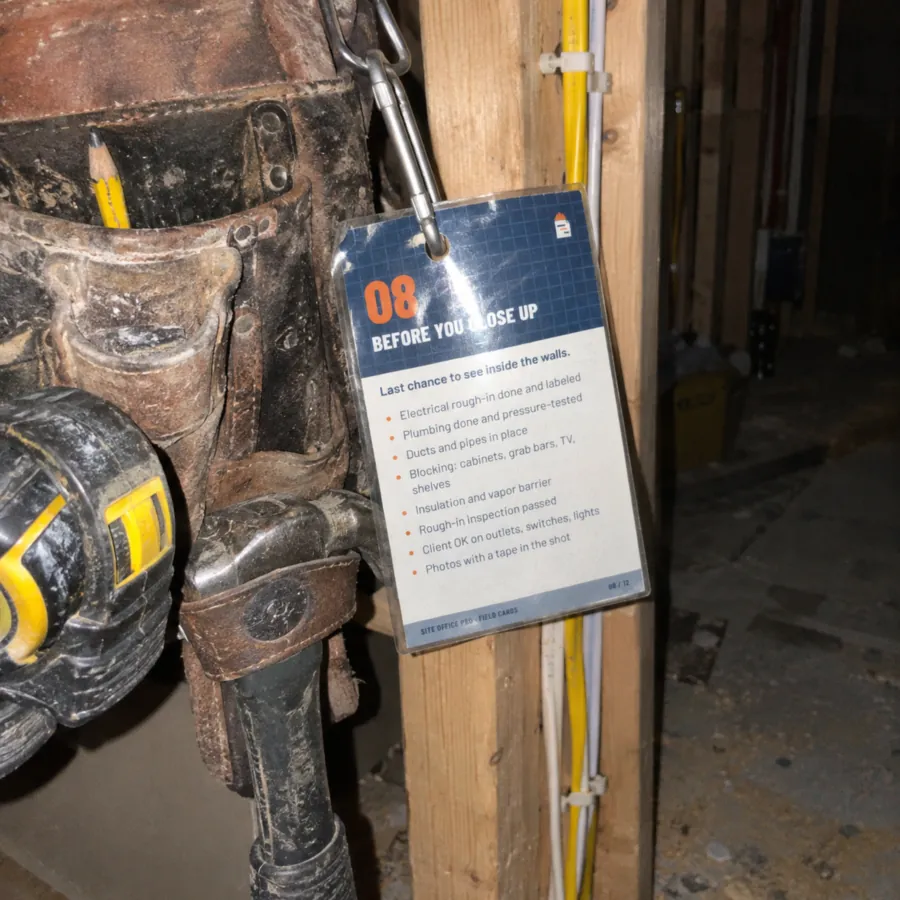
★★★★★
“Honestly, this is exactly what you need on a busy job site. The checklist is clear and easy to follow, reminding you what to check before closing up the walls. It's the little things that get missed when you're rushing. Having everything in one place is a great idea. 👌”
— Ryan M., US
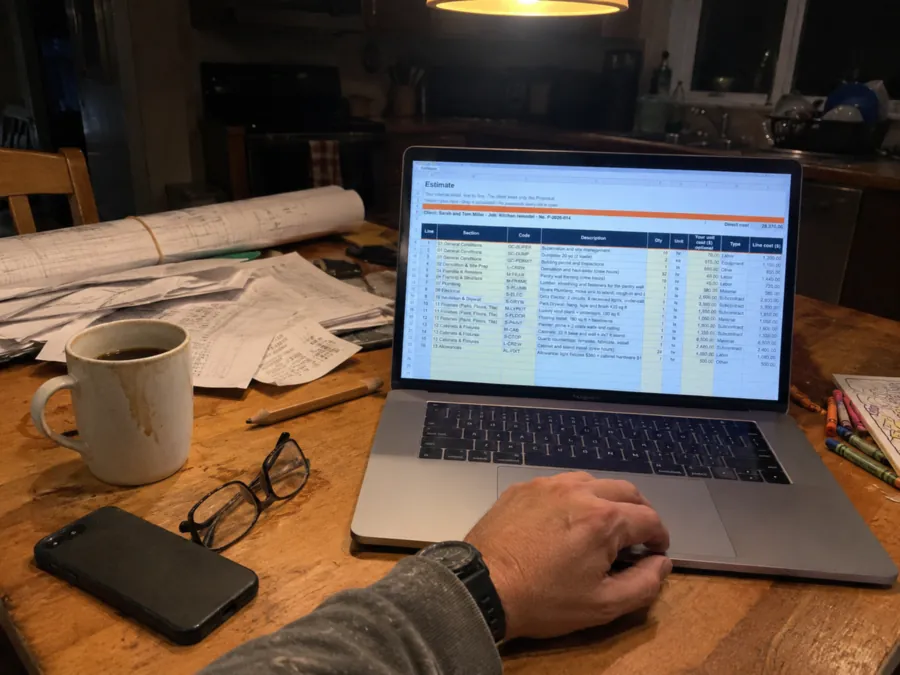
★★★★★
“Preparing estimates after a long day can be a headache. I like having a structured template where labour, materials and other costs are clearly broken down. It’s much easier than starting from scratch every time. A practical tool for running jobs more professionally.”
— Helen C., UK
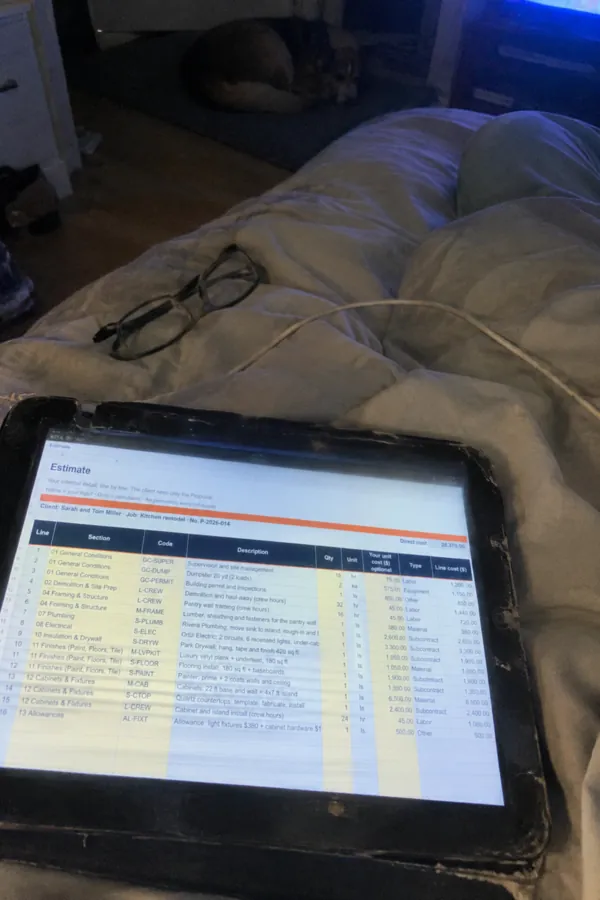
★★★★★
“Sometimes the best time to get the paperwork done is when the house is finally quiet 😅 I really like the idea of having a clear estimate template that keeps labour, materials and other costs organised in one place. It makes preparing quotes feel less overwhelming and helps you keep track of the details. Practical, straightforward and made for real contractors!”
— James W., AU
↓ What's inside
The Whole Site Office. Price It, Track It, Run It.
Four parts that follow a job from the first site visit to the last payment. Each one has its own guide and audio lessons. The worked example shows every sheet filled in.
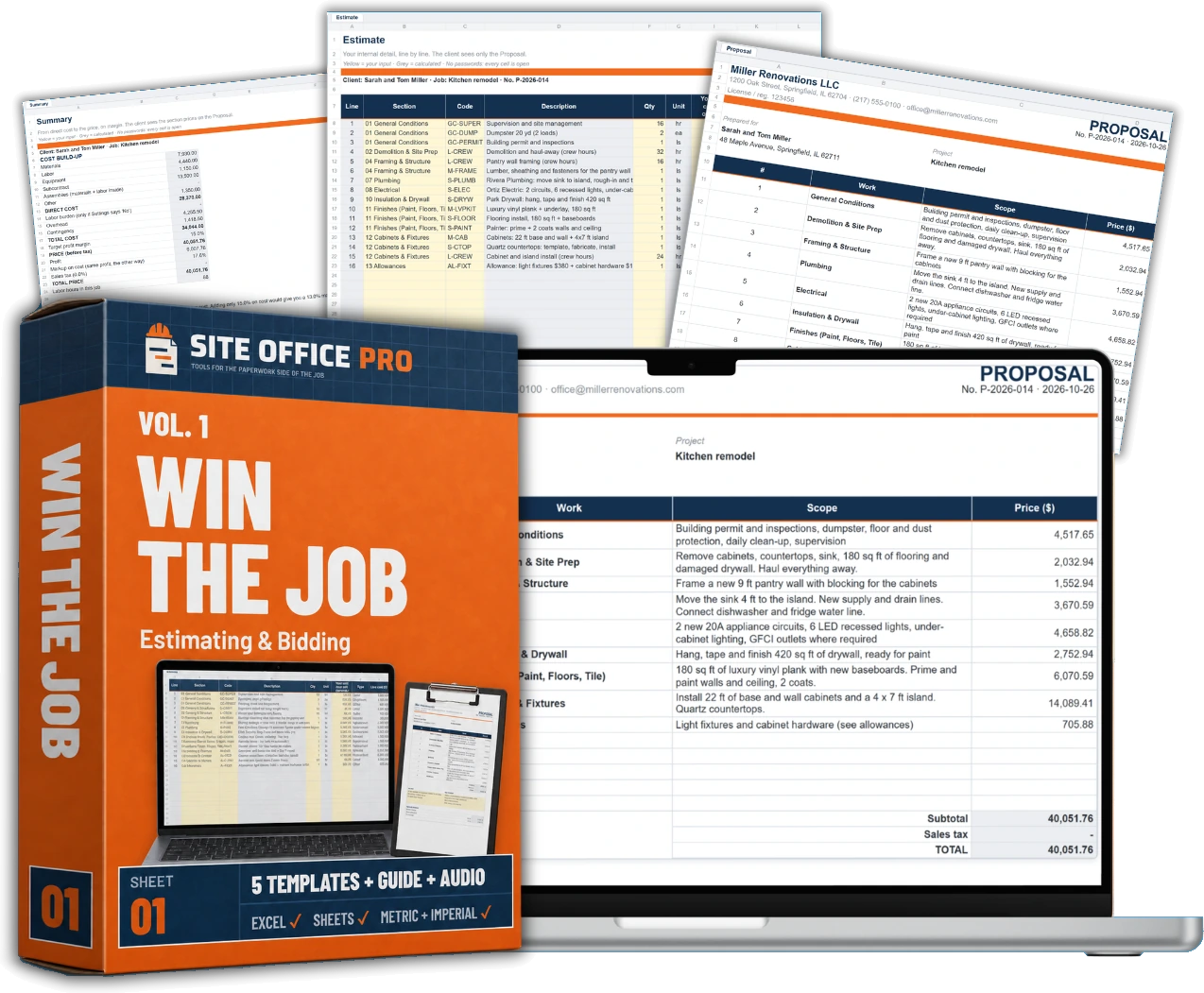
Win The Job. Estimating & Bidding.
Set your prices once. Then build an estimate in minutes, and send the client a clean proposal that shows what's included, not your line-by-line costs.
- Bid Estimate Workbook: set your prices and common assemblies once. Labour, materials, subs, overhead and margin add up on their own
- Sub Bid Comparison: up to 4 bids for one trade, side by side, with the cost of anything they left out
- Client proposal in two levels: a clean price for the client, the full detail stays with you. US, UK and Australian versions
- Bid/No-Bid and Site Visit checklists: walk away from the wrong jobs, and see the problems before you price
- Price Talk: what to say when they ask for a discount, "can you just add…", or a friends-and-family price
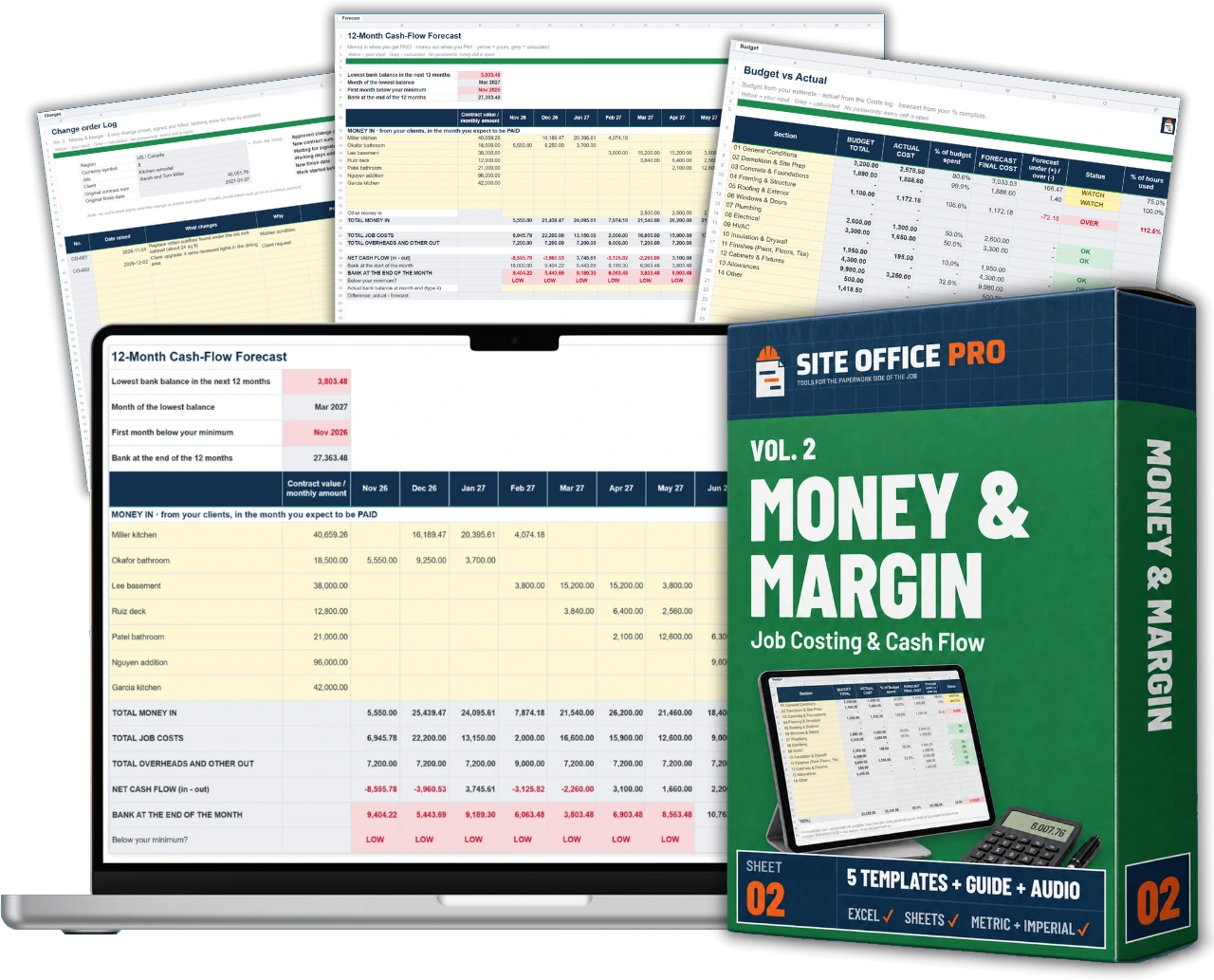
Money & Margin. Job Costing & Cash Flow.
See if a job is making money while it's still running, not three months after. And get every extra signed and paid.
- Job Cost Tracker: budget against actual cost for every section, with OK, WATCH and OVER flags
- Job Review: after a few jobs, see where your estimates miss, by type of job
- Change Order Form and Log: price the extra and get it signed before the work. Variation forms for the UK and Australia
- Progress Billing and Payment Tracker: what you've billed, what's paid, what's held back as retention
- Cash-Flow Forecast: 12 months, all your jobs. See the tight month coming 3 months early
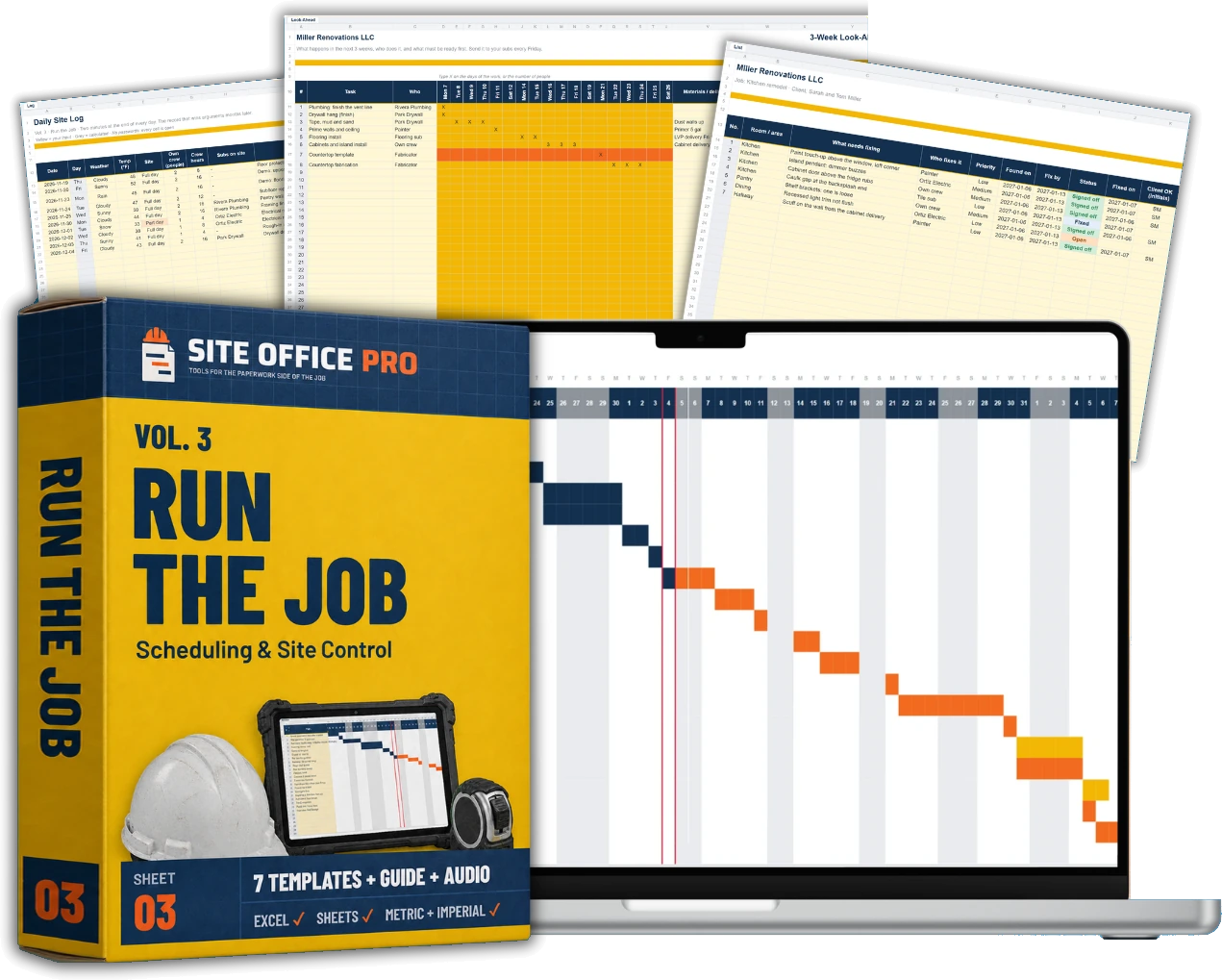
Run The Job. Scheduling & Site Control.
Type the task, how many working days, and what it waits for. The schedule works out the dates, skips weekends and holidays, marks the tasks that can't slip, and shows a late finish while there's still time to fix it.
- Gantt Construction Schedule: bars and dates fill in on their own, and the critical path is highlighted
- 3-Week Look-Ahead and Site Meeting Minutes: who does what, by when, in writing
- Daily Site Log and RFI Log: "If it's not on paper, it didn't happen." Now it's on paper
- Punch List and Handover: finish clean, and get the last payment
- Weekly Client Progress Report: keep the client calm, even when the news is bad. US, UK and Australian versions
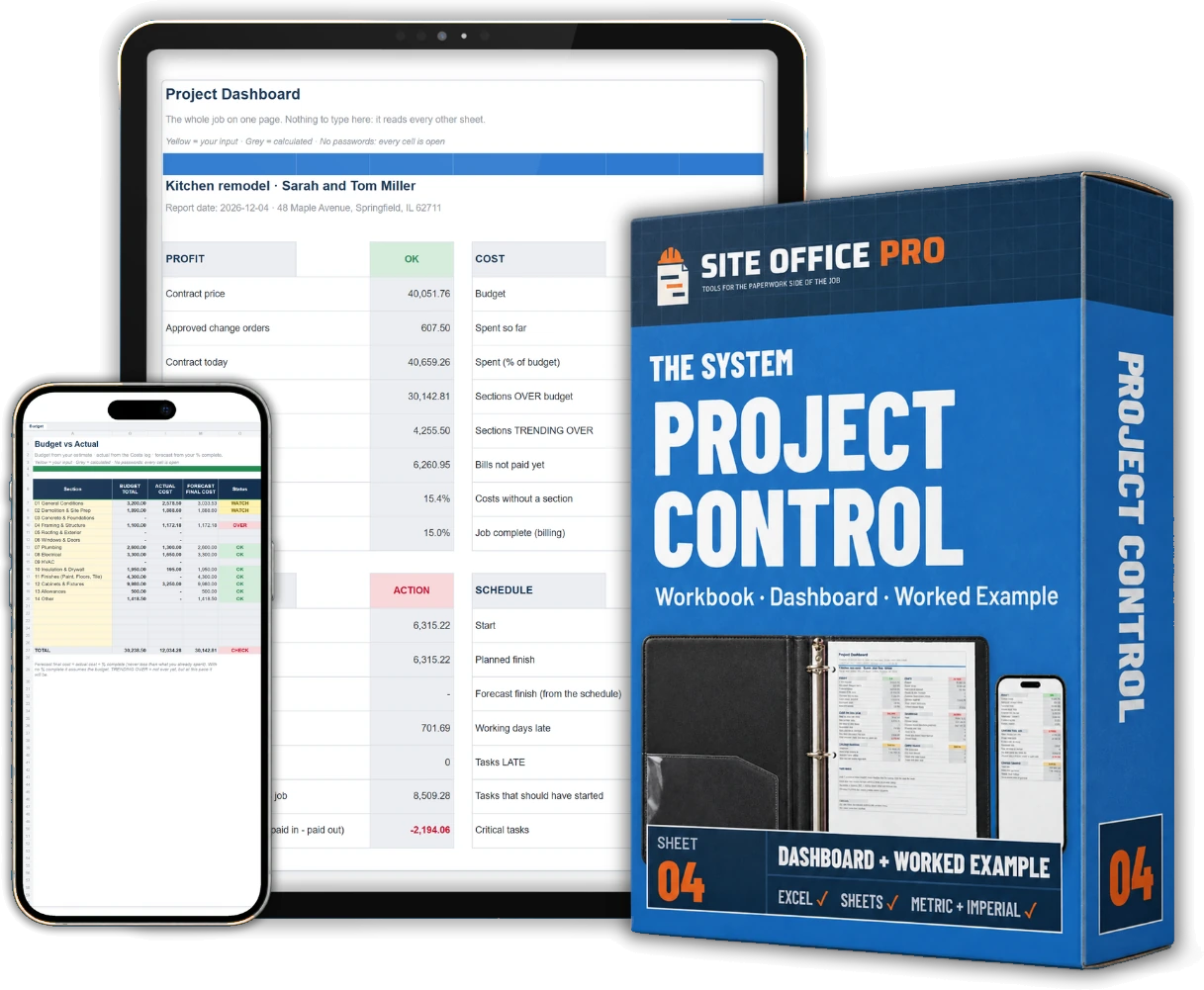
The Project Control Workbook. One Job, One Screen.
Set up the job once. The dashboard pulls budget, cost, cash, schedule and changes together, and shows what needs you this week.
- Project Dashboard: profit, cost, cash on the job, schedule, change orders and open issues, on one page
- The worked example: a full kitchen remodel filled in from the first estimate to handover, in US and UK versions, so you can check every number
- Quick-Start guide: your first job set up in about an hour, then 15 minutes every Friday
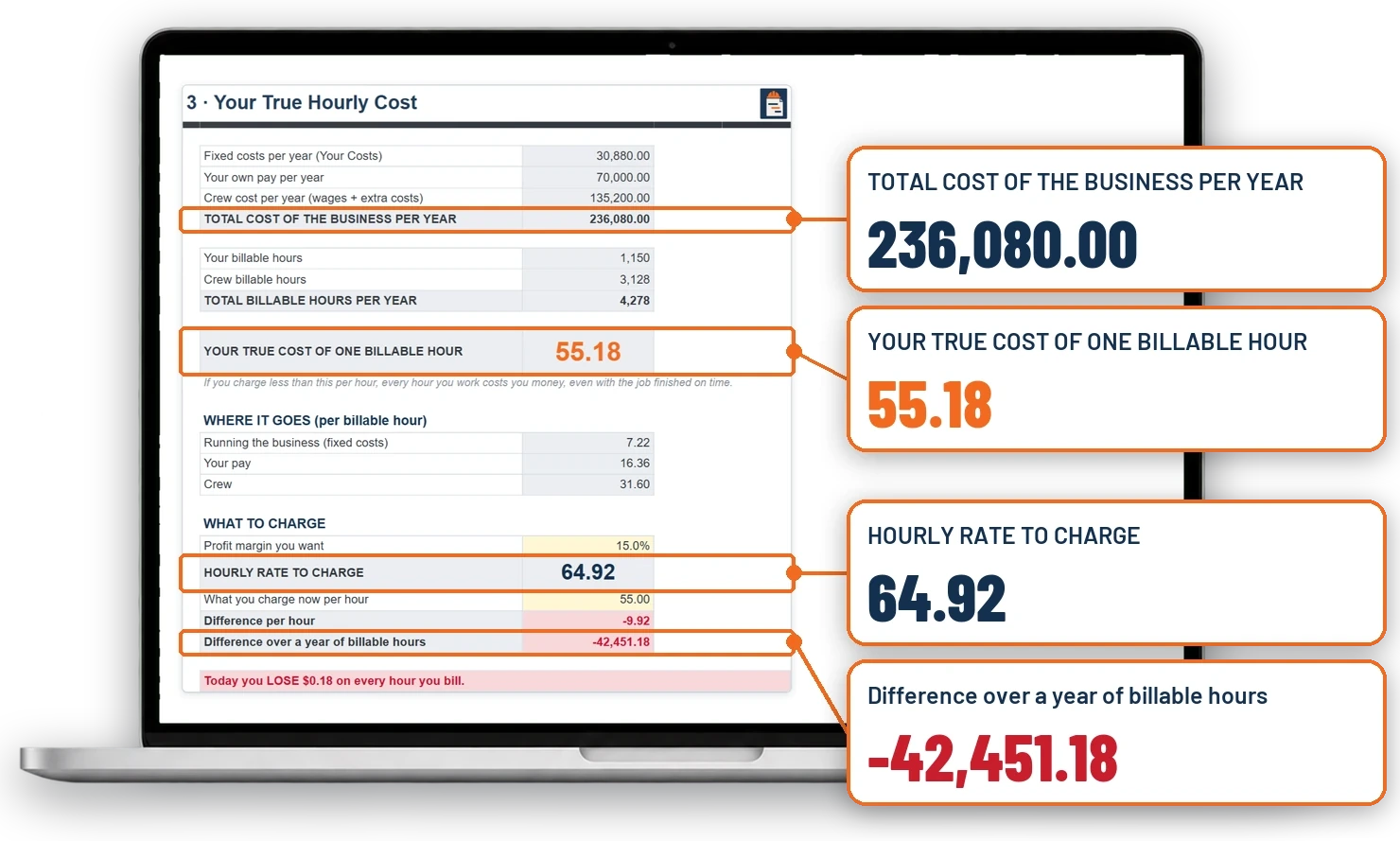
🎁 Bonus #1
The True Price Calculator
$49 value — included free today
Your truck, insurance, phone and tools don't pay for themselves.
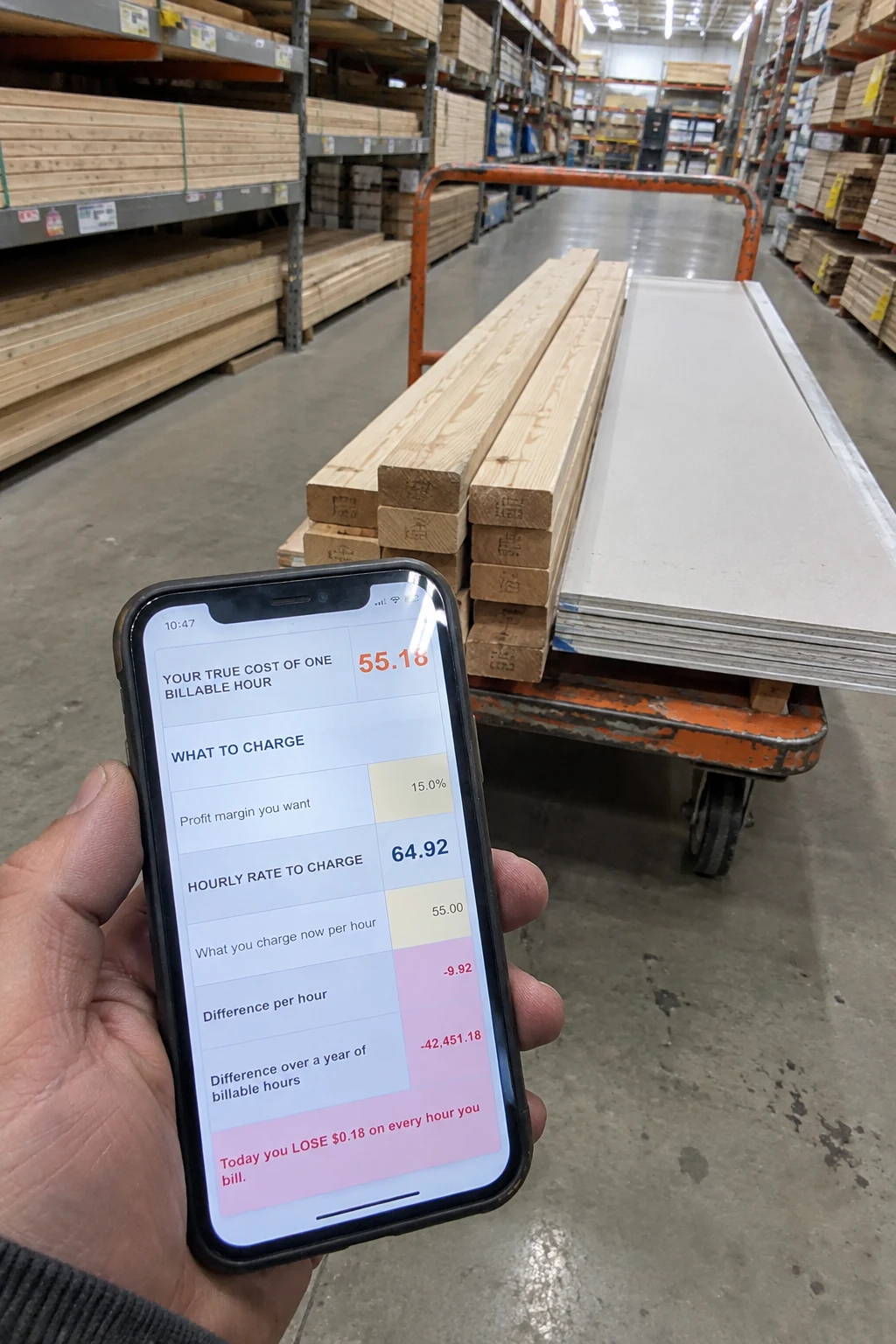
Type in what your business costs in a year, your crew, and the hours you can really bill. The calculator shows what one hour really costs you.
Then it prices a job with the margin you want, shows your break-even, and shows why adding 20% only keeps 16.7%.
↓ How to use it
Ready In 3 Simple Steps.
- 01
Download
Your download link arrives by email right after checkout. One folder, every file. No app, no account.
- 02
Set up your first job
Start Here shows you where to begin. Fill the yellow cells: your company, your prices, your job. About an hour.
- 03
You see problems before they cost you
Every Friday, 15 minutes: the dashboard flags the section going over budget, the bill nobody has paid and the task running late, while there's still time to fix them.
Works on: Windows · Mac · Excel · Google Sheets · iPad and Android tablets · phone · paper
Every tool for the office side of the job · one download
Get Instant Access To The Full Contractor's Office Toolkit
Your download link arrives about a minute after your order.
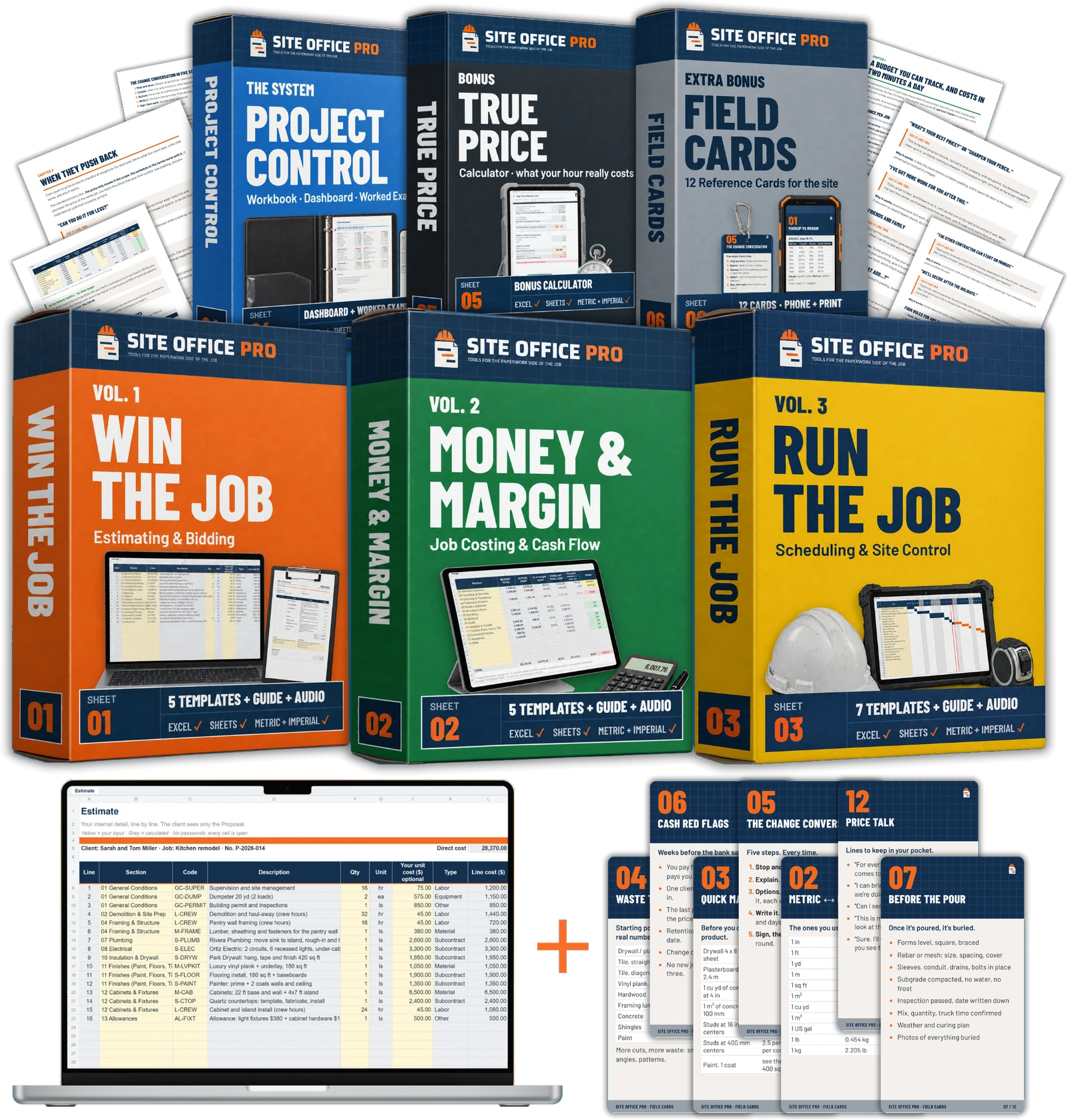
- Vol. 1 Win the Job: estimate workbook with your own price list, sub bid comparison, client proposal, bid/no-bid and site visit checklists
- Vol. 2 Money & Margin: job cost tracker, change order form and log, progress billing, 12-month cash-flow forecast
- Vol. 3 Run the Job: a schedule that works out its own dates, look-ahead, daily log, meeting minutes, RFI log, punch list, weekly client report
- The Project Control Workbook: one dashboard for profit, cost, cash, schedule and changes
- A full worked example: a $40k kitchen remodel, from the first estimate to handover, every number worked out
- 4 short guides plus Price Talk: what to say when the client pushes on price
- 20 audio lessons (1 h 47 min) for the drive between jobs
- Every cell open, no passwords: change anything, add your logo
- Your words and units: quote or estimate, change order or variation, $ or £, feet or metres
- One payment, yours forever: free updates when a template improves
- 🎁 Bonus: the True Price Calculator. What one hour of your business really costs
- 🎁 Extra bonus: 12 Field Reference Cards for your phone and your truck
Total value: $332 — yours today for $67
The "Send Your Next Bid With It" 90-Day Guarantee
Use the toolkit on your next bid or your next job. If it doesn't save you time or catch something you would have missed, send one email within 90 days. You get a full refund. No questions, no forms.
Questions? Email support@siteofficepro.com, a person answers within one working day · Secure checkout · Instant download
🎁 Extra bonus · $29 value
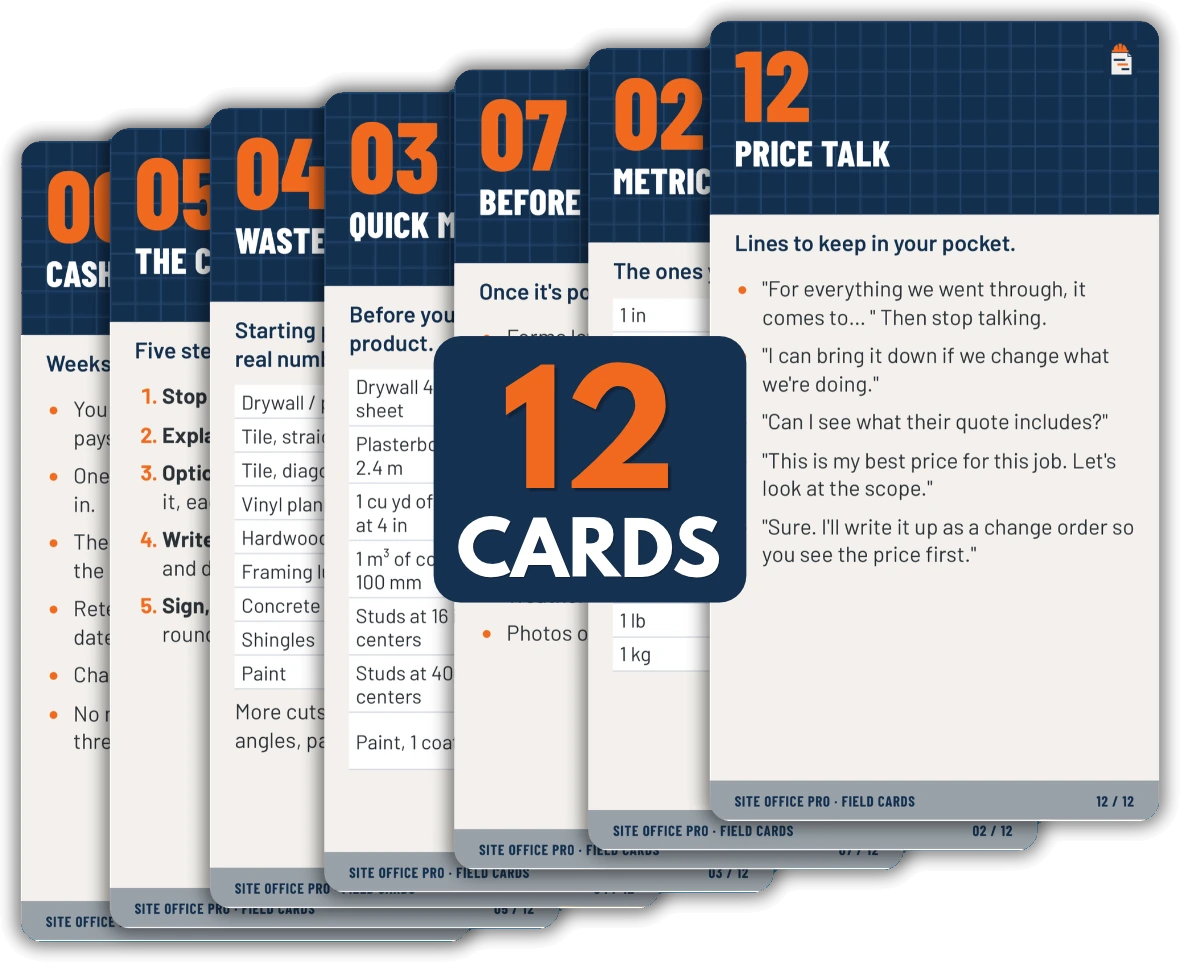
Wait! Your Order Also Includes 12 Field Reference Cards.
Included free TODAY.
The numbers and checks you need on site, one card each: markup vs margin, metric and imperial, quick material math, waste to check, the change conversation, cash red flags, before the pour, before you close up, before the handover, reading the critical path, the Friday 15 minutes, and Price Talk.
Keep them on your phone, or print them 4 to a page and keep them in the truck.
…the 12 Field Reference Cards, free today: $29
✦ Who we are
Built For Contractors Who Do The Work All Day And The Paperwork At Night.
You're good at the job. Nobody taught you the office. So you price by gut feel, agree the extras on site with a handshake, and find out at the end if the job paid. Then the evenings go on estimates.
We kept reading the same story, from contractors in the US, the UK and Australia, in forums and comment sections. The software they're told to buy costs hundreds a month and is built for big firms. The free spreadsheets are one sheet each, in ten different styles. The paid bundles are half business theory, locked behind passwords.
So we built the office we wished they had. Twenty templates that work together, in plain words, with every cell open. A full job filled in from the first estimate to handover, so you can check the math yourself. Short guides, and audio for the drive between jobs. One payment, and it's yours.
We don't give legal or tax advice, and we don't promise you'll make more money. We give you the numbers. The decisions stay yours.
— Site Office Pro · Tools for the paperwork side of the job
✦ Contractor feedback
In Their Own Words.
“Looks really practical. Exactly what a small contractor needs.”
— Mark D., US
“Finally, something focused on the actual job instead of endless business theory.”
— Steve B., UK
“This could save me a LOT of time on estimates. That's where I lose half my evening tbh 😅”
— Chris H., AU
“Simple. Editable. No extra software to learn. I like that.”
— Paul R., CA
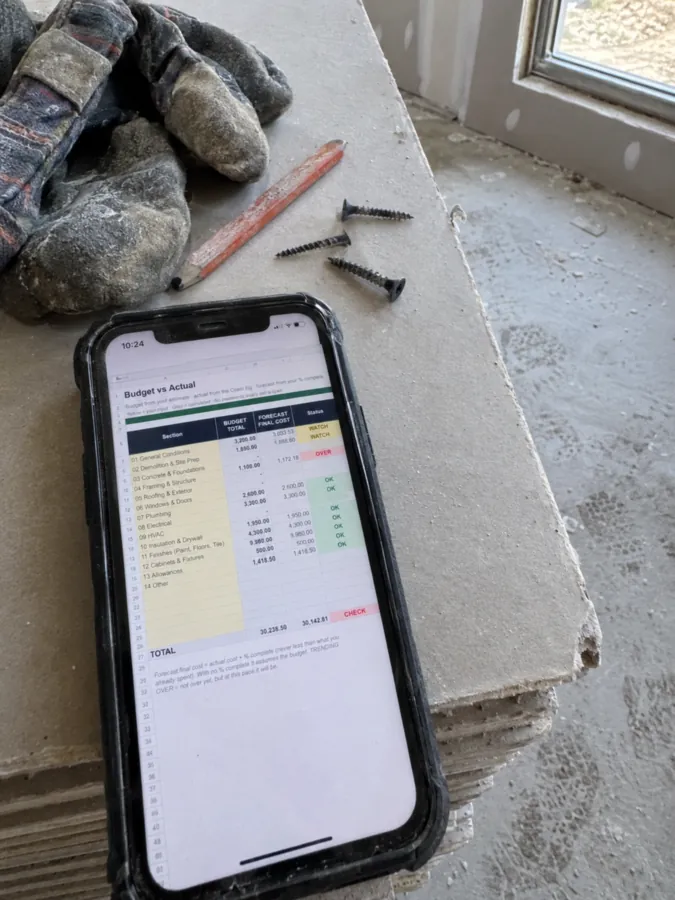
“THE COST TRACKING PART 👌 That's what I'd be most interested in.”
— Daniel T., UK
“I'm usually pretty old-school with paperwork, but having everything organised in one place makes sense.”
— Gary W., US
“Nice idea!! Especially the field cards for quick checks on site.”
— Luke P., NZ
“Not gonna lie, the cash-flow templates caught my eye first. Knowing what's coming in and what's going out is half the battle.”
— Andrew S., AU
“A practical toolkit for people who don't spend all day sitting at a desk.”
— Peter J., UK
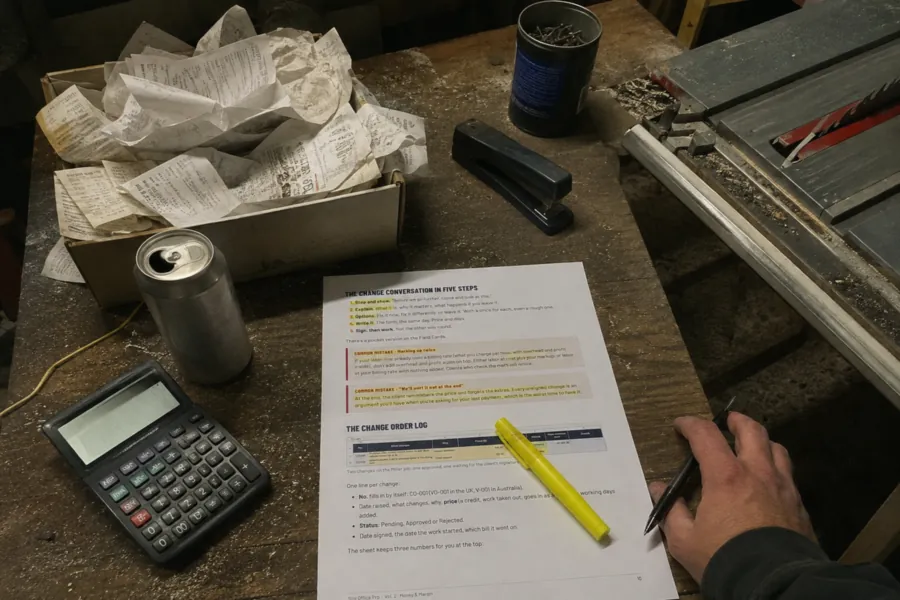
““Just a small extra job”... famous last words 😂 A proper change-order process is definitely worth having.”
— Matt L., US
“I like that it includes both Excel and Google Sheets. Flexibility matters.”
— Ben F., CA
“Looks clean and straightforward. No unnecessary complications.”
— David K., UK
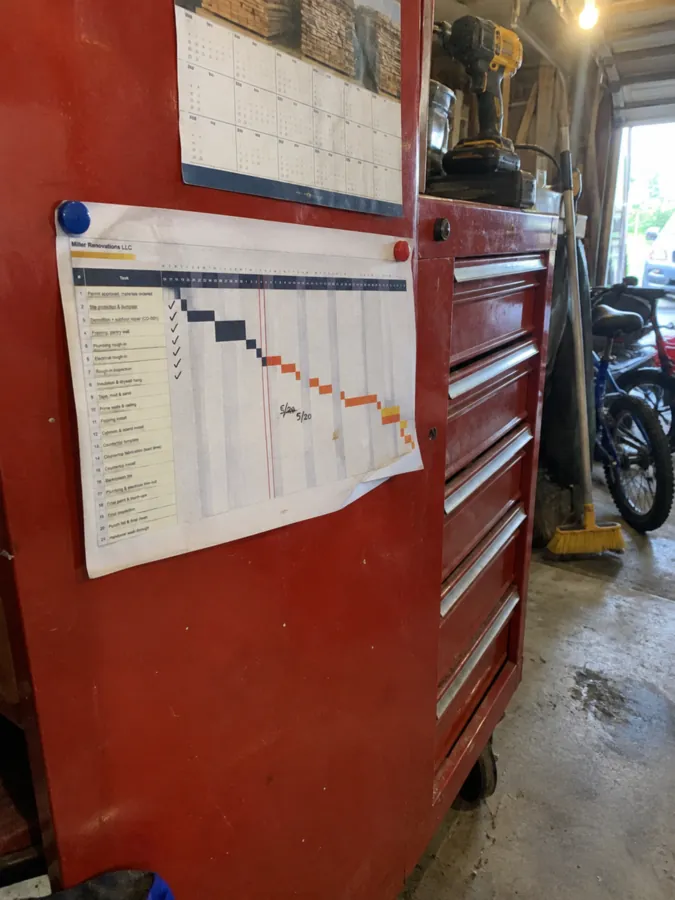
“Estimating, scheduling, tracking costs... all the stuff that keeps a project moving. Makes sense to have it together.”
— Scott A., AU
“honestly the daily log template sounds useful. remembering everything at the end of a long shift is NOT happening lol”
— Tom N., US
“Good concept. I'd want to see the formulas and how easy they are to customise before deciding.”
— Richard E., UK
“LESS GUESSING. MORE NUMBERS. That's the idea I like here.”
— Jason C., CA
“The worked example is a smart addition. Blank spreadsheets can be intimidating if you don't know where to start.”
— Oliver M., NZ
“For a small business, keeping things simple is a big plus 👍”
— Adam G., UK
“Does it work with Google Sheets on a tablet? That's the kind of thing I'd want to check.”
— Nathan B., AU
“The markup vs margin bit is important. Plenty of people mix those up.”
— Mike S., US
“Short guides instead of a 300-page manual? Yes please.”
— Simon D., UK
“Looks like a useful starting point for anyone trying to get more organised with the business side of construction.”
— Rob H., CA
“I would probably use the estimate and payment tracker the most. Those two alone are worth looking into.”
— Kevin P., US
“No subscription? Interesting. I'd rather own a set of files than add another monthly bill.”
— Dean W., AU

“The field cards are a nice touch. Something you can check quickly without digging through a massive document.”
— Alex R., UK
“More structure, fewer things slipping through the cracks. That's what small teams need.”
— Sean T., IE
“OK, the True Price Calculator has my attention 👀 Pricing jobs properly is a whole different skill.”
— Josh V., US
“I'd be interested in the imperial units version. Not every template is built for the market you work in.”
— Brian L., CA
“Not flashy, just useful. Sometimes that's all you need.”
— Dan F., NZ
“A proper estimate should be more than a number at the bottom of a page. The cost breakdown is what matters.”
— Craig J., AU
“This looks aimed at people actually running jobs, not just people talking about project management.”
— Anthony K., UK
Questions Before You Order?
Any questions? Email support@siteofficepro.com. A person answers within one working day.